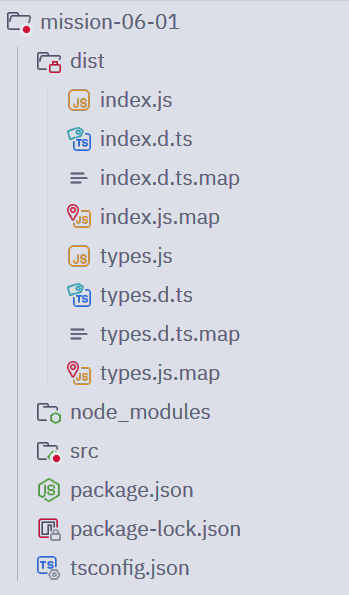
하위 태스크 1
TypeScript 개발 환경 구축
npm init, @types/node 설치, tsc 전역 설치, tsconfig.json 생성
npm init
npm install --save-dev @types/node
npm install --global typescript
tsc -v # Version 5.9.3
tsc --init
하위 태스크 2
첫 TypeScript 파일 작성 및 실행
index.ts 작성, tsc 컴파일, node 실행, tsx로 직접 실행
src/index.ts:
console.log("Hello TypeScript");

const numberValue: number = 12345;
const stringValue: string = "TypeScript";
const booleanValue: boolean = true;
실행:
tsc src/index.ts
node src/index.ts # Hello TypeScript

npm install --global tsx
tsx src/index.ts # Hello TypeScript
하위 태스크 3
원시 타입 실습
number, string, boolean, null, undefined 타입 변수 선언 및 사용
src/types.ts:
const numberValue: number = 1004;
const stringValue: string = "천사";
const booleanValue: boolean = true;
const nullValue: null = null;
const undefinedValue: undefined = undefined;
하위 태스크 4
리터럴 타입 실습
숫자/문자열/불리언 리터럴 타입 작성, 유니온 리터럴 타입 만들기
src/types.ts:
// ...

let num: 10 = 10;
let str: "hello" = "hello";

num = true; // error: number 자료형 변수에 boolean 자료형 값 할당
str = 0; // error: string 자료형 변수에 number 자료형 값 할당

type Status = "success" | "error";

const correctStatus: Status = "success";
const wrongStatus: Status = "errorrrr"; // error: 잘못된 값 할당
하위 태스크 5
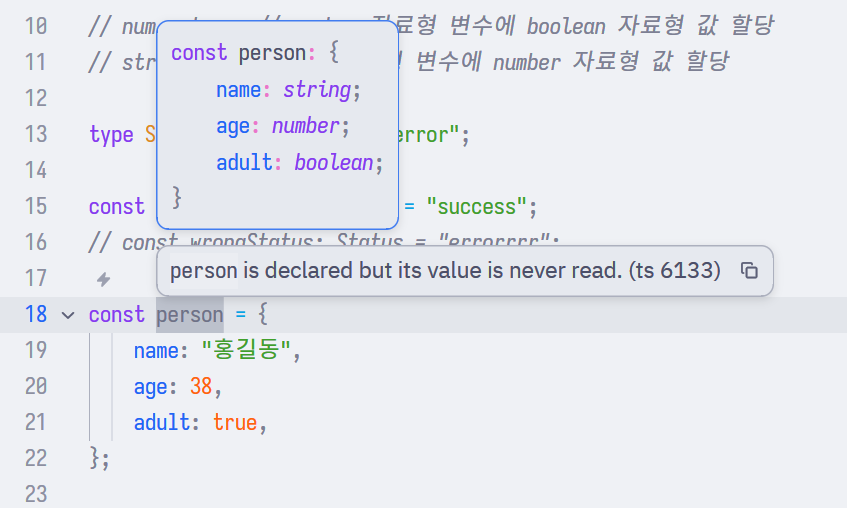
타입 추론 확인
타입 주석 없이 변수 선언 후 추론된 타입 확인
src/types.ts:
// ...

const person = {
    name: "홍길동",
    age: 38,
    adult: true,
};
하위 태스크 6
strict 모드 실험
strict 옵션 변경하며 타입 검사 강도 차이 확인
src/types.ts:
const stringOrNull: string = null;"strict": false:

"strict": true:
strict 모드를 활성화하면 null 참조를 방지한다.

하위 태스크 7
tsconfig.json 옵션 이해
target, module, outDir, strict 등 주요 옵션 설정 및 테스트
target
JavaScript의 문법 수준을 지정한다.
index.ts:
const add = (a, b) => { return a + b };"target": "ESNext":
const add = (a, b) => {
    return a + b;
};
"target": "ES5":
var add = function (a, b) {
    return a + b;
};
module
JavaScript 모듈 시스템을 지정한다.
index.ts:
export const add = (a, b) => { return a + b; };"module": "CommonJS":
var add = function (a, b) {
    return a + b;
};
exports.add = add;
"module": "ESNext":
export var add = function (a, b) {
    return a + b;
};
outDir
컴파일된 JavaScript 파일의 생성 위치를 지정한다.
"outDir": "./dist":